Get MovieBox Promo Code Using 5 Free Working Methods 2026
Looking for a working MovieBox promo code in 2026? You can save money without spending hours searching for discounts. MovieBox users often look for free promo codes, referral rewards, and special offers to unlock premium features. However, not every code works, and some websites share expired or misleading offers. This guide covers five free methods to find and use MovieBox promo codes. Follow each method to check available rewards and avoid wasting your time.
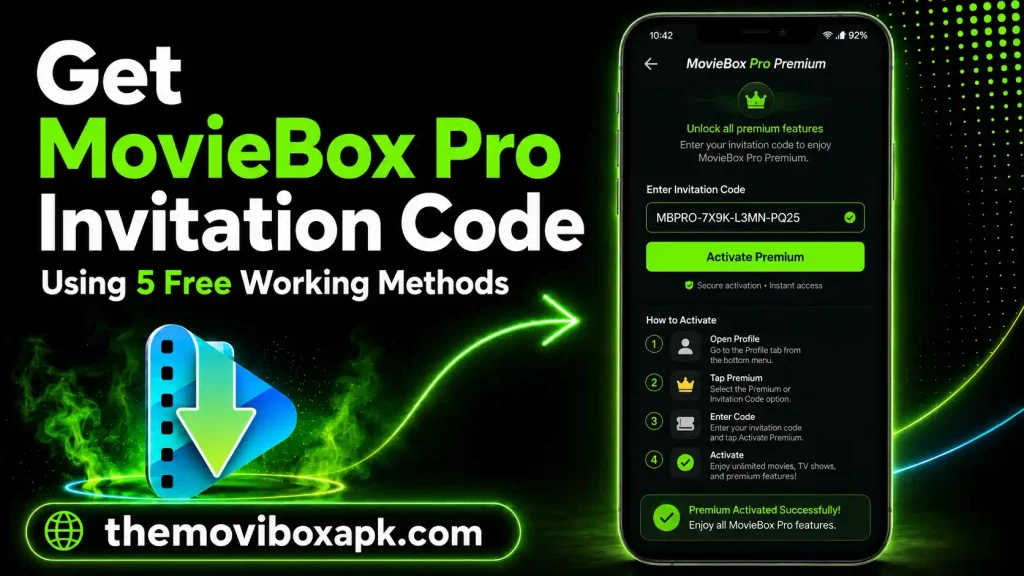
MovieBox does not require an invitation code for every user. If you only want to browse or stream movies, check whether the app offers a guest option on the login screen. However, creating a full account may require an invitation or promo code, depending on the current registration process. An account can help you sync watchlists, manage downloads, and access available VIP features. Visit MovieBox Pro app to learn more about the app before choosing your registration method.
Avoid promo codes from suspicious websites or unknown downloads. Check app safety first with Google Play Protect.
What Is a MovieBox Promo Code?
A MovieBox promo code is a special code that may give users access to a discount, promotional offer, or certain app features. Its benefits depend on the offer attached to the code. Some codes may be linked to subscription plans, while others may be intended for account registration or premium access. You usually need to enter the code in the relevant field inside the app. Not every code works for every account, and some may have an expiry date or usage limit. A promo code is also different from an invitation code, even if some users use these terms interchangeably. Before using one, check what it offers and whether it applies to your account.
MovieBox Promo Code vs Invitation Code: What’s the Difference?
A MovieBox promo code and an invitation code may sound similar, but they can serve different purposes. Here’s a simple comparison:
| MovieBox Promo Code | MovieBox Pro Invitation Code |
|---|---|
| Offers a promotion | Allows invited access |
| May give discounts | May support registration |
| Used for offers | Used during sign-up |
| May expire | May have usage limits |
| Depends on available deals | Depends on app requirements |
Which one do you need?
If you’re trying to register for MovieBox Pro, check whether the sign-up screen asks for an invitation code.
If you’re looking for a subscription discount, check whether the app provides a promo code option.
Do You Need a MovieBox Invitation Code to Use the App?
Not every MovieBox user may need an invitation code. It depends on the app version and the type of access available. Before looking for a code, keep these points in mind:
- Basic Access: Check whether your app version allows access without an invitation.
- Account Registration: Some registration options may ask for an invitation code.
- VIP Access: Premium or VIP registration may have separate requirements.
- Existing Users: If a code is required, ask an existing user whether they can share an invitation.
- App Version: Registration options can differ between versions.
Check the sign-up screen first. It will help you understand whether you actually need a code.
5 Ways to Get a MovieBox Pro Invitation Code:
1. Contact MovieBox Pro Support
Visit the MovieBox Pro website and check its support section, or email support@themoviboxapk.com to ask about available invitation codes. Ask whether the team currently provides free invitation codes. Include your registration issue so they can guide you.
2. Request a Code Through the App
Some versions of the MovieBox Pro show a “Request Code” or “Get Invitation Code” option directly on the login screen.
Not all app versions show this button. If yours does not, use Method 1 or 3.
If your invitation code isn’t working, the issue may be related to your app version. Sometimes, an older MovieBox release works better on certain devices. Check our MovieBox Old Version APP guide to explore previous releases and find one that may work with your phone.
3. Ask an Existing MovieBox APK User
Know someone who already uses MovieBox Pro? Ask them if they have an unused invitation code. You can also follow these steps:
The code expires in 20 minutes. Have the app open on your device before your contact generates the code. Do not wait after receiving it.
4. Get a Code From Reddit or Facebook Communities
Search Reddit and Facebook for active MovieBox Pro user communities. Check recent discussions where members share registration help or available codes.
Reddit: Visit r/MovieBoxPro or r/MovieBoxProCodes and post: “Looking for a MovieBox promo code, first-time user.” Someone will reply with a fresh code within minutes during active hours.
Facebook: Search “MovieBox App Promo Code” in Facebook Groups. Join the most active group and post the same request.
5. Check Official MovieBox Announcements
Keep an eye on MovieBox’s official website and social media pages. The team may announce promotional offers or registration updates. Check the code’s validity and expiry date before trying it.
Most Commonly Use Moviebox Promo Codes 2026 (Latest Working):
Here are some commonly shared MovieBox promo codes you can try in 2026:
These codes may not work for everyone because some are region-based or time-limited. So, it’s smart to try more than one.
How to Use a MovieBox Promo Code?
You can apply the free code easily without any technical steps. We guide you through the process so you can activate the Moviebox free code without confusion.
MovieBox Mod APK is a modified version of the MovieBox app. You can watch Bollywood, Hollywood, Tollywood, Korean, Turkish, and other regional content. You have access to all content worldwide. It may offer extra features compared with the regular version. MovieBox offers its available content without a subscription, while most OTT platforms charge a monthly or yearly fee. Features may change between versions, so check the latest version before installing.

Benefits of Using MovieBox Promo Code:
A valid MovieBox promo code may offer extra value when subscribing or accessing certain features. Here are four possible benefits:
Save Money on Subscription
You can reduce your subscription cost significantly by applying a working code. This helps you to enjoy premium features without spending too much. We often see users saving a large amount with active promo codes. Always check the discount before applying the code.
Access HD and 4K Quality
Some premium offers may include higher video quality or 4K streaming access. This can make movies look sharper on supported screens. However, video quality also depends on the content, your device, internet speed, and the plan included with the offer.
Unlock Premium Features
Some promo codes for Moviebox app may give access to advanced features like downloads and exclusive content. Depending on the offer, you may get extra viewing options or subscription benefits. It also allows you to explore more content without restrictions.
Ad-Free Streaming Experience
You can remove ads that interrupt your movies and shows. This makes it easier to enjoy a film without frequent ad breaks. With promo codes, you get a smoother and cleaner experience. We find this especially useful for long movies or series.
How to Sign Up for MovieBox APK With a Promo Code?
Signing up for MovieBox APK may require an invitation code, depending on the app version and the type of access you’re trying to use. If you already have a valid code, the next step is to check where the app asks for it.
Follow these steps:
Never share your account password or verification details with someone promising a free invitation code. A genuine invitation should not require you to hand over control of your account.
Tips for Finding Valid MovieBox Codes in 2026:
You can find new promo codes by staying active and checking reliable sources. We suggest following these tips to keep getting fresh deals.